
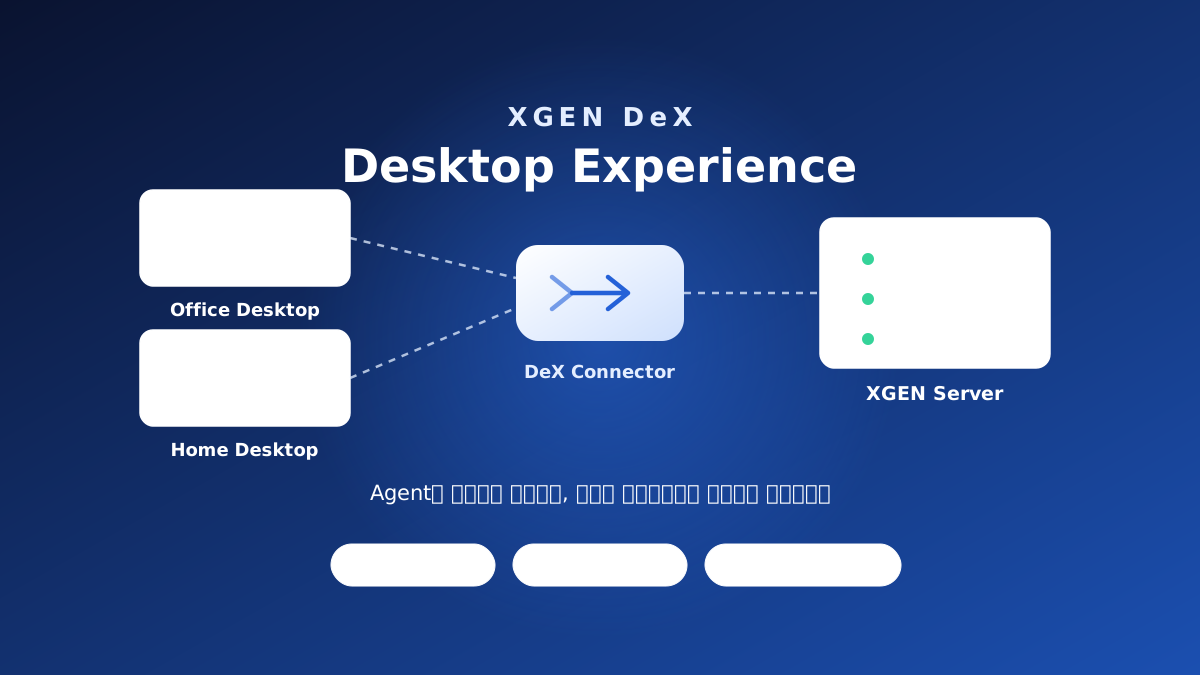
In one line — Deks is a Device Experience component that connects agents running on the XGEN Server to the user's desktop environment, so local environments and applications can be used safely.
Enterprise AI is no longer a chatbot that answers questions. It is moving toward agents that understand the work, connect to the systems already in place, and carry out real tasks on the user's behalf.
But work still starts at the desktop. People sign in to internal systems, open local documents, edit Excel and PowerPoint, and use in-house applications. For AI to actually do that work, it has to connect to the user's desktop environment.
Runs on the server, continues on the desktop
Deks (Device Experience) rests on one design premise: run the agent on the server, and extend only the execution environment it needs to the desktop.
AI agents run and are managed on the enterprise's own on-premise XGEN Server. The user collaborates with those agents from their desktop environment. The enterprise keeps AI under central control, and nobody changes how they work.
It is the opposite direction from installing AI on each individual PC. Because an agent is not tied to one machine, whichever PC someone signs in from, the same agent picks the work back up.
What it connects
Deks splits the desktop's resources into three and wires each to the agent.
Local environment — the user's working environment, connected so the agent can understand and act on it.
Local directory — local directories linked to XGEN Cloud Storage, so documents and files are used where they already are, without copying or moving them.
Local applications — Excel, PowerPoint, the browser, in-house applications: programs running on the desktop, connected to the agent to support automation.
What changes in the work
Once the desktop and the server become one AI experience, what each role gets out of it differs.
- Developers build alongside an AI that understands the whole project
- Planners write proposals grounded in internal documents
- Sales connects customer material to prepare a tailored proposal
- Business teams hand repetitive work to an agent and concentrate on what needs judgement
The common thread is that teams keep the tools and the ways of working they already have.
Central control stays where it is
Widening the scope to the desktop raises one question first: does control get looser? Deks leaves the operating principles an enterprise has already set in place.
| Principle | What it means |
|---|---|
| Server-centric agent architecture | Agents run on the XGEN Server and are managed centrally |
| Enterprise security | Existing authentication, permission, and audit policies stay as they are |
| Persistent agent experience | Whichever desktop you sign in from, the same agent continues the work |
| Desktop connectivity | Local files, desktop applications, and enterprise systems become one agent experience |
In development. Among the principles above, the security and governance controls are the direction Deks is heading, and they are still being built. We will share scope and timing as they land.
Coming soon
Deks is in the final stage of development at the lab.
We see it as more than a desktop connection tool: an execution layer that joins Enterprise AI and the user's desktop into a single working experience.
Enterprise AI is no longer decided by model performance alone. What comes next is how naturally an enterprise can use AI while keeping the working environment it already has. Deks is the first Device Experience platform we are building toward that.
We will introduce Deks's release schedule and capabilities here on the blog, step by step. For a product demo or a conversation about adoption, get in touch any time.