

Managing a web wiki, Word documents, and both Korean and English from one Markdown source
As a product grows, so does its user manual.
Every time a feature is added or a screen changes, you edit the Word document, copy the per-customer versions, and go back through the English manual. That consumes more time than you would think. But the problem is not time — it is trust. Miss the edit in even one of several copies and a user is looking at a manual that does not match the actual screen, and the documentation loses credibility fast.
We had exactly that problem.
So we decided to change not how we make documents but how we operate them.
Today we run 43 Korean chapters and 43 English chapters — 86 guide documents in total — from a single Markdown base, generating both the wiki site embedded in the solution and the Word documents for distribution from that same source.
This post shares why we abandoned the old document system for a wiki, and what we learned operating it.
Editing the same content several times was the core problem
Previously, one screen change meant editing several documents.
- The standard user guide
- Per-customer guides
- Documents for certification review
- The English manual
Editing the same content several times looks like simple repetition, but the real risk is omission.
Miss one document and the customer is looking at an old screen, and support inquiries follow.
"It's in the manual, but it's not on the actual screen."
That one sentence collapses trust in the whole documentation set.
What changed before the documents was the source
Plenty of teams say they dropped Word and adopted web documentation.
But what we changed was not the output format — it was how the source is managed.
There was exactly one principle.
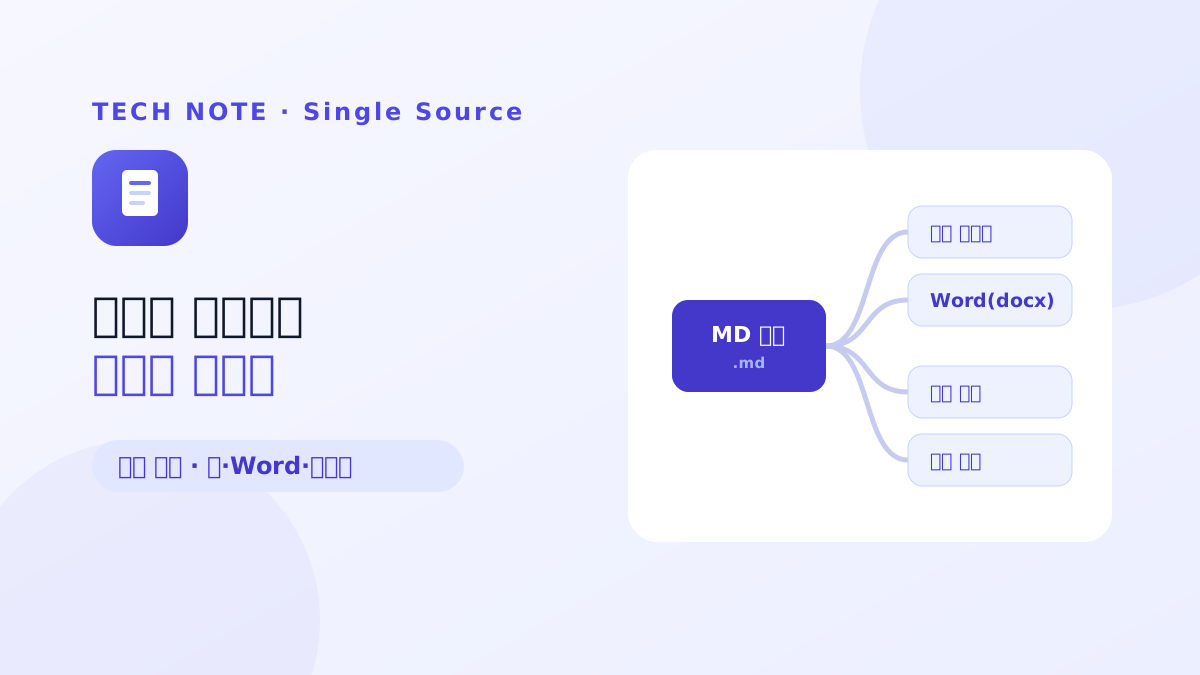
One source, many outputs.
We now manage only Markdown.
From that source, the following are generated automatically:
- The guide wiki embedded in the solution
- Word (docx) for distribution
- Korean documents
- English documents
Users check the latest guide on the web, and when a customer asks for document submission we generate Word from the same source. Because the web and the documents are not managed separately, the chance of them diverging has dropped sharply.
Korean and English run on the same structure
The more documents there are, the more multilingual management becomes its own burden.
We now run 43 Korean chapters and 43 English chapters on an identical information structure.
Each chapter corresponds one to one between Korean and English, keeping the same structure and table of contents. When a new feature is added, Korean and English documents are created and managed together in the same position.
That removed the need to maintain a different document system per language, and made the translation scope explicit whenever a feature is added or a menu changes.
We do not make a different document per customer
Per-customer documents were another concern.
In the past, the more customers there were, the more documents there were.
Now we do not create a separate manual per customer.
Instead we layer a variant on top of one standard source.
For example:
- Standard
- Customer J
- Certification
Only what needs to differ branches. Common content is edited once and reflected in every version automatically, and only the per-customer differences are managed separately.
The document count stops growing while per-customer requirements are still met as they were.
The biggest change was making the live screen the standard
The biggest lesson from operating the documentation was one thing.
The truth is not the code, it is the screen the user sees.
A feature can exist in the development code, but if it is not exposed on the actual screen, for a user it does not exist.
So documentation is written against the live screen, not the code.
To make that work, screen availability is checked automatically and the results are stored in screen-truth.json.
We automatically confirm whether each screen actually opens, has been deleted, or is accessible, and menus and links referring to screens that no longer exist are removed from the documentation along with them.
Since then, the "the document exists but the screen does not" situation has become far rarer.
More important than automation were the writing rules
Automation did not solve everything.
Early on we often wrote the body before checking the screen. But when the actual UI and button names differed, the document had to be revised again — repeatedly.
In the end we changed the order of work. Capture the screen first, then write the document.
The other lesson is that the more automation there is, the more the guidelines matter.
We now maintain, as separate documents:
- What has to be written (the factual rules)
- How it has to be written (the style rules)
Because the more the source is a single thing, the more a small mistake can propagate into every output.
What actually changed most
The changes we felt in operation were simpler than expected.
First, when the product changes, you edit one source and you are done. The web wiki, Word, customer variants, and Korean and English documents are all generated from the same source.
Second, how people find documentation changed. Instead of hunting for a page in Word, one URL shares exactly the content you meant.
Third, the documentation stays current. Because it is verified against the live screen, the time the documentation lags behind the product has dropped sharply.
Teams we would recommend a wiki-based move to
A wiki is not the answer for every team.
But in the following circumstances, the effect is likely to be tangible.
- The product updates frequently
- Several per-customer versions of the documentation are maintained
- Korean and English documents are managed together
- A web guide and Word documents both have to be provided
- The manual runs to dozens of chapters or more
Before our documentation grew, Word alone was enough for us too.
But once the chapter count passed several dozen and we were managing per-customer versions and multilingual documents alongside, it became clear that how you operate documentation matters more than how you make it.
Today we run a web wiki, Word, Korean and English documents, and per-customer variants all through the same flow, centred on one Markdown source.
In the end we chose a wiki not to use a new tool, but to operate documentation continuously, like a product.