

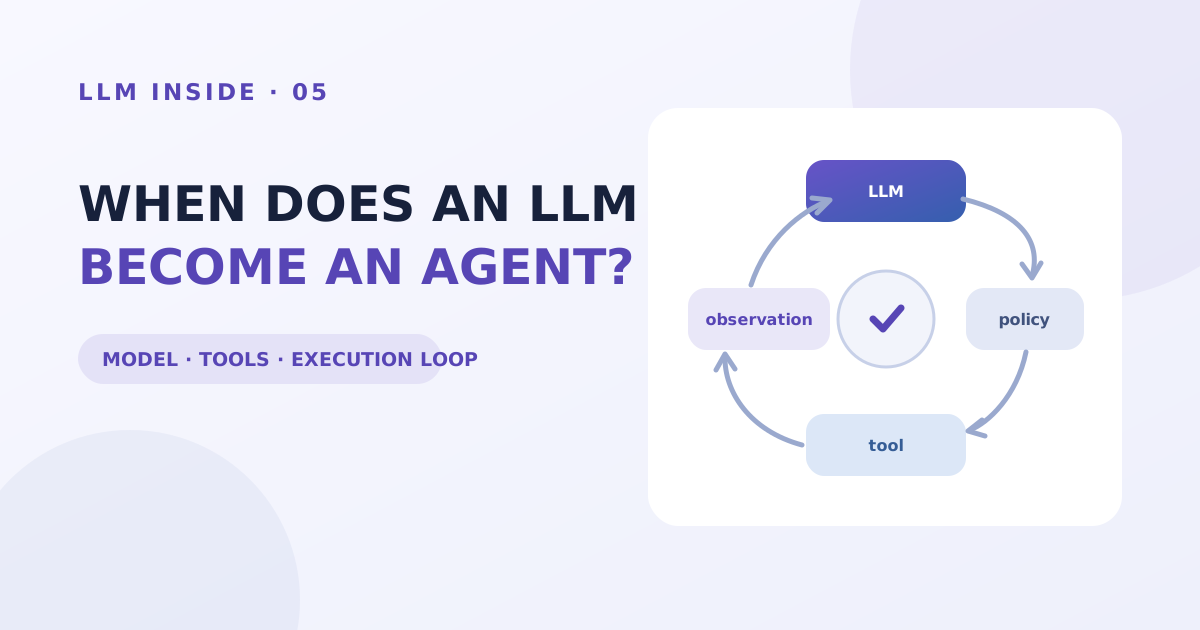
An LLM does not directly perform an action. It generates the next output—perhaps a proposal to call a named tool with particular arguments—while an application and tool read the file or send the message. An agent is the system that connects proposal, execution, observation, and the next decision in a control loop.
Editor's note — what this means for enterprise buyers — Adopting agents is less about picking a model than about designing permissions, execution, and records. This part separates proposing from executing and shows what belongs in between. Useful in the meeting where you decide what must be settled before real work is handed over.
Producing an answer and changing an environment are different jobs
For a request such as “prepare last month's sales summary,” an LLM can propose an analysis sequence and table layout. Finding the correct local file, reading the spreadsheet, calculating totals, and saving the result require capabilities outside the model.
The chat interface presents this as one continuous exchange. Internally, language generation, file access, code execution, and permission checks occur in different components. Success in one component does not mean the whole task is complete.
In particular, the model's ability to generate “I saved the file” is separate from an actual save event. Completion should be checked through environmental observations such as file existence, API response, or database state, not the model's report alone.
An agent adds an execution loop around a model
There is no single implementation covered by every use of the word agent. Here, we use it for a system that receives a work goal, selects actions, observes an external environment, updates state, and continues until completion or interruption.
goal and current state
  → LLM proposes the next action or answer
  → policy and argument validation
  → tool execution
  → observe success, failure, and result
  → update state and context
  → repeat until completion or interruption
The LLM is an important decision component, but it is not the whole system. Tool definitions, current state, iteration limits, permission policies, and result validators are also required. Autonomy is closer to a property of how these components are connected than a property of one model file.
A tool call is a structured proposal, not an executed command
A model commonly emits a tool name and arguments in a constrained form. It might generate read_file and a path as JSON. The application parses that output, checks its schema and the right to read that path, and only then invokes a real function.
model output      { "tool": "read_file", "path": "sales.xlsx" }
application       validate schema, permission, and path
tool              attempt to read the file
observation       data on success or a specific error
next model input  new context containing the observation
The Toolformer paper explored training a model to decide when and how to call APIs such as a calculator, search, and calendar, and how to incorporate results into later token prediction. The LLM did not replace the external calculation. It generated when and how to use a tool that provided the specialised function.
Maintaining this boundary creates a basis for trusting results. Correctly formatted model output and successful tool execution are recorded separately. An empty result, temporary error, permission denial, and invalid argument should not all collapse into the same “failure” state if the next action is to differ.
The next decision changes only when an observation returns
An agent differs from a static plan because it sees what happened. It can search another path when a file is missing, revise a query when search is insufficient, or change code in response to a test failure.
The ReAct paper evaluated an approach that interleaved language reasoning with actions in an environment. It used a Wikipedia API for question answering and returned action results to later decisions in interactive tasks. External observation provides a basis for correction that continued reasoning alone does not create.
A weak observation produces a weak loop. If a failed tool returns an empty string, the model cannot tell why information is absent. If a failed save is reported as success, later steps proceed on a file that does not exist.
A useful tool contract separates meanings.
success + usable result
success + no result
temporary error + same request may be retried
input error + arguments must change
permission denied + unavailable in current scope
The model can propose a next action after receiving that observation. Execution policy decides which errors may retry and which require a person.
A looping system needs an owner for stopping
Connecting one tool call is easier than deciding when to stop. More searching might reveal a better source, and another code revision might pass the next test. Remaining possibility is not a sufficient reason to continue indefinitely.
Stopping conditions include goal completion, iteration, time and cost limits, repeated identical errors, missing permission, and need for human judgment. Asking the model to “stop when appropriate” does not guarantee cost or side effects. Counters, state, and policy checks belong in code.
Completion is also a verifiable state rather than a sentence. The report file should exist at the intended path with required sheets, the email draft should have the correct recipient and attachment, and code should pass its tests. A fluent completion message without those checks is not task completion.
Permissions are constrained separately from model judgment
A mistaken decision by a read-only agent normally remains an incorrect answer. The same decision by an agent with deletion, sending, or payment permissions changes external state. Identical model quality can carry a different impact depending on connected permissions.
The Excessive Agency entry in the OWASP 2026 LLM Top 10 separates excessive functionality, permissions, and autonomy. It recommends exposing only necessary tools, narrowing tool functions, and independently approving or verifying high-impact actions.
Actions can be grouped by reversibility and reach.
| Action | Default handling |
|---|---|
| Search and read documents | Run within allowed scope and log access |
| Create temporary files and drafts | Use an isolated workspace and validate output |
| Modify existing files | Back up and show a diff; constrain targets |
| Send mail or publish externally | Ask a person to confirm content and recipient |
| Delete, pay, or change permissions | Explicit approval, least privilege, audit record |
Human approval is not needed at every step. Placing it at boundaries that are hard to reverse or affect others preserves useful automation while checking important decisions. An approval view should show target, change, and likely effect rather than only asking “continue?”
Expanding one workflow reveals each component
Consider an agent preparing a monthly sales report.
- The executor lists candidate files within an allowed folder.
- The LLM proposes the relevant file and analysis sequence from the request and filenames.
- A spreadsheet tool reads data and executable code calculates totals.
- The LLM drafts an explanation from the calculated values and previous report.
- A validator checks totals, required sections, and output-file structure.
- A person approves recipient and attachment before external sending.
The parts that should not be replaced by prose become visible. The file system supplies the actual object, executable calculation establishes the numbers, and the validator determines completion. The LLM uses its strength to structure an ambiguous request and connect each observation to a next step.
Responsibility can also be divided when the workflow fails.
| Symptom | First place to inspect |
|---|---|
| Wrong file selected | Tool description, file list, model selection |
| Incorrect total | Input range, calculation code, unit conversion |
| Same call repeats | Tool-result contract, state update, iteration limit |
| Reports unperformed work as complete | Actual events and completion validation |
| Accesses a disallowed file | Path validation, permission policy, execution isolation |
Calling every agent failure a model problem removes the location of the fix. A better model also leaves the same categories of failure when execution contracts and permissions are missing. Component-level records are what make the distinction possible.
The first five parts drew boundaries between responsibilities
We have moved from next-token prediction through parameters and training, context and memory, reasoning and evaluation, and finally agents that use tools. The subjects look different but join in one question: what does the model produce, and what must another component supply or verify?
An LLM generates the next output from its input context. Parameters supply learned patterns and context supplies current information. Retrieval and tools connect the external world, while an executor and validators manage permission, state, and completion.
From the next part, we will apply these criteria to actual models. Parameter scale and architecture, context length, reasoning modes, and tool support can then be read separately, together with the conditions behind published benchmark results.
If you are evaluating adoption
Before an agent touches real work, what you settle first is the boundary, not the model.
First, grant permissions against a person. The systems and data an agent can reach should not exceed those of the employee who owns that task. Starting with broad permissions for convenience leaves you unable to trace the blast radius when something goes wrong.
Second, design the stop condition and the undo path first. How many retries, on what state it hands back to a human, how an executed action gets reversed — without these, the cleanup outweighs the gain from automation.
Third, the execution log is your audit evidence. Who ran which agent, which tool it called, and what it changed all have to be on record. In a regulated industry, how that record is retained decides whether adoption is possible at all. Start the pilot with work that can be undone.
See the whole series → LLM Inside