

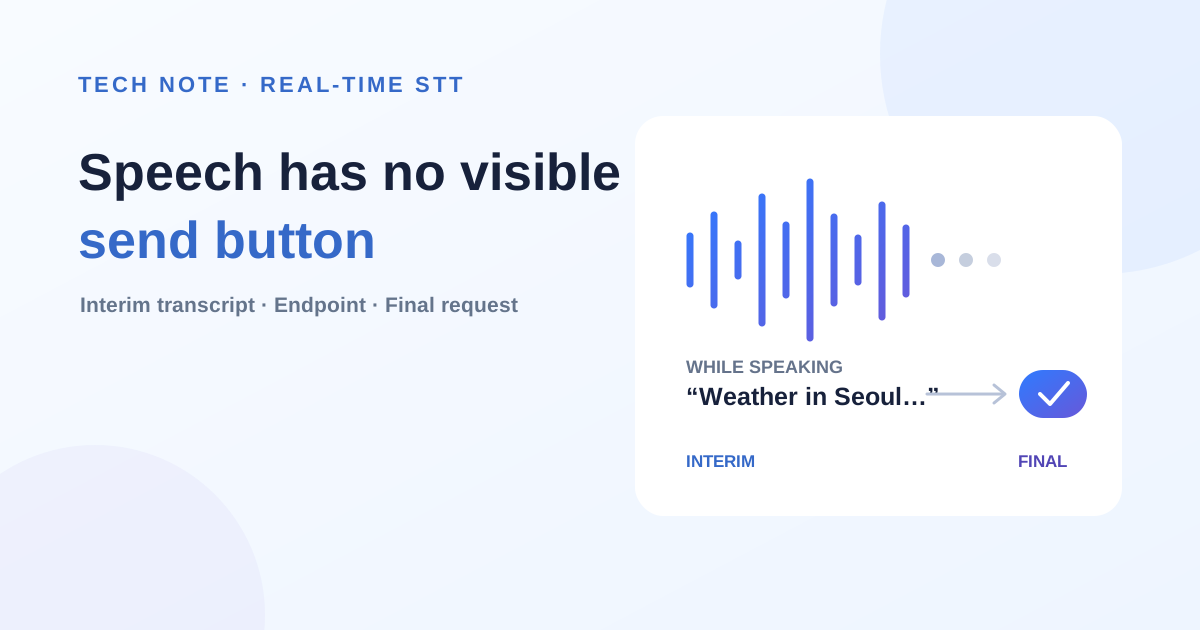
Editor’s note · B2B adoption perspective — The performance of real-time voice AI is not determined by STT accuracy alone. It is equally important to decide how much of a user’s speech constitutes one business request—in other words, to identify the utterance boundary correctly. In customer service, field inspection, and meeting records, speech patterns and surrounding conditions differ. That decision affects not only response time, but also the risk of missed requests, duplicate execution, and incorrect actions.
Teams considering a similar project should agree on utterance-end criteria, how interim transcripts appear on screen, and the rule that only final transcripts reach the execution layer before comparing model benchmarks. For agents that approve, register, or send something rather than merely retrieve information, it is safer to provide a step where users can review or cancel the finalized request instead of executing spoken input immediately.
For an AI agent to respond to a spoken request, it needs to know when the user has finished speaking. When we connected real-time speech input, we designed the system to show recognized text while the user was talking, then finalize and process the request only after the utterance had ended.
Text had a send button
XGEN, the service we are developing, is an AI agent platform that answers questions, summarizes documents, and performs other tasks in response to user requests. When a user writes and sends a text request, the agent processes it and returns the result.
In that flow, the send button marks the end of the request. The user finishes writing and presses the button; the agent treats the submitted text as one complete request. It waits while the user is typing and starts work only after submission.
We extended that text-based interaction so users could make requests by voice. Once speech was converted to text, the existing agent flow could process it in the same way. But prerecorded files and live speech presented different problems.
A recorded audio file already had an endpoint
STT, or Speech-to-Text, converts speech into written text; the conversion process is called transcription. The audio-file transcription we implemented first worked on recordings that were already complete.
When a user uploads an audio file, the system transcribes the entire file and passes the completed transcript to the workflow. The AI agent can then summarize it or extract information from it.
The file already defines the range of audio to process. We can transcribe all of it and hand the result to the agent. There is no need to decide whether the speaker will continue or whether the system can start responding now.
In live speech, even a short pause requires a decision
With live input, the endpoint is not immediately apparent. If a user says, “Tomorrow in Seoul,” we do not yet know whether the request ends there or continues as, “Tell me tomorrow’s weather in Seoul.”
A brief silence can mean several things. The user may have finished, may be thinking of the next word, or may simply be taking a breath. If every short pause finalizes the request, processing starts before the user has finished. If the system waits too long, the response feels slow.
What appears on screen while the user speaks also matters. Showing nothing makes it difficult to tell whether speech is being captured. Sending every evolving recognition result to the agent, however, turns an unfinished utterance into multiple requests.
We therefore chose to show recognition results while the user was speaking and send only the finalized content to the agent after the utterance ended. The moment when the user sees input feedback and the moment when the agent begins processing became two separate stages.
We put a live-stream layer in front of the existing STT model
Supporting that behavior required us to collect incoming audio chunks, request transcriptions, and decide whether the user had stopped speaking. The existing STT model’s role was to convert the audio it received into text, so we built this additional processing in front of the model.
Running a separate model dedicated to live transcription was another option. But operating independent models for file and real-time transcription would increase the load in environments with limited GPU resources. Deployment and incident response would also have to be prepared for each model.
Instead, we reused the existing STT model and added a streaming layer that manages live audio. It divides incoming audio into 30 ms units and examines changes in volume and waveform. Taking ambient noise into account, it estimates when the user starts and stops speaking.
While the user is speaking, the layer collects audio in a temporary buffer. It repeatedly sends the accumulated segment to the existing STT model. Whenever a new result arrives, it replaces the sentence shown on screen. As later audio is incorporated, words may be added and earlier wording may change.
Users can watch the screen to confirm how their speech is being recognized. At this point, the displayed sentence is still an interim result and has not been sent to the AI agent.
The STT model performs transcription. The streaming layer collects audio, requests those transcriptions, and detects the start and end of speech. Separating the roles this way allowed the file-transcription model to support live speech input as well.
The AI agent starts processing after the user finishes
Once the system decides that the user has finished speaking, it transcribes the buffered audio one final time and finalizes the spoken content as one transcript.
The AI agent then processes that transcript. Starting from an interim result could omit something the user adds later, so only the finalized content is passed on after the utterance ends.
While speaking → Show recognized text on screen
After speech ends → Finalize transcript → AI agent processes request → Return result
The finalized transcript is delivered in the same form as text submitted directly by a user. This lets the voice interface reuse the existing agent-processing flow. What began after a send-button click for text now begins after the end of an utterance for speech.
The streaming layer became the send button
With text, users press send to complete a request. In live speech, the streaming layer takes that role. It collects incoming audio, shows the transcription, and, once it decides that the user has finished, finalizes the transcript and hands it to the AI agent.
This structure let us support live speech input while retaining the existing STT model and AI-agent flow. Users can see how their voice is being recognized while they speak and receive an answer after they stop without pressing a send button.
The streaming layer connects continuously arriving audio to an AI agent that expects a complete request. By deciding when to hand off that request, it extends the text-based request-and-response flow into spoken interaction.
For similar B2B projects, design the operating criteria first
In a real customer environment, one silence threshold cannot be applied uniformly to every user and setting. A quiet office, a mobile field site, and a service desk where several voices overlap differ not only in noise level but also in speaking pace and pause length.
That is why teams should measure the false utterance-end rate for each workflow together with the finalization delay users actually perceive, rather than relying on average recognition accuracy alone.
Four criteria are useful to manage in operation:
- Input quality — Are domain terms, proper nouns, numbers, and dates transcribed correctly?
- Boundary quality — Does the system avoid mistaking a thinking pause for the end of speech, while also avoiding unnecessary waiting after speech has ended?
- Execution safety — Are unconfirmed interim transcripts prevented from triggering real work, with clear paths to confirm, cancel, or retry?
- Operability — Can the team trace errors and latency by user and environment, then adjust thresholds based on evidence?
A PoC is not complete if it tests only scripted sentences read clearly in a quiet room. It should also reproduce real working conditions: users correcting themselves, pausing to think, and speaking amid background noise or other voices.
Ultimately, the quality of a voice interface is revealed not by the sentence it recognizes best, but by how accurately it distinguishes ambiguous input and how safely it handles it.