

Editor’s note · B2B adoption perspective — Customers evaluating meeting-notes automation usually ask first, “What is the recognition accuracy?” This contribution shows that feasibility can be decided earlier than model accuracy: whether a recording of several hundred MB can pass through the gateway and request time limits, whether the diarization model fits into the customer’s GPU management, and whether models can be brought into and loaded on an air-gapped network.
In the editor’s reading, the record of “four changed decisions” is less a story of a wavering plan than a process of discovering the constraints of the customer environment and correcting the design before writing code. Teams working on similar projects may want to include a step in PoC scoping that unpacks a one-line requirement into screens, data paths, and operating owners. Please also note that the processing-time and GPU-memory figures in the post come from a single short recording on a development server; long-recording processing, offline loading, and accuracy across meeting-room audio quality have not yet been verified.
We are designing a feature that turns an uploaded meeting recording into speaker-labeled text. The work plan we started on October 29 reached its seventh revision by November 2, and all four decisions we initially took for granted changed: where to place the feature, where to run the diarization model, how to upload files, and in what order to call diarization and transcription.
This is not a record of finished implementation but of the design stage. It describes what we checked before writing code and how those checks changed our decisions. Teams trying to bring the same feature into air-gapped or on-premises environments may find the points we missed at first useful.
At first we thought it was part of the chat feature
The requirement was one line: “We have deployed an STT model, so let us turn meeting recordings into text.” We read this as a voice feature inside XGEN’s chat (persona), and wrote the first plan on that assumption.
On closer checking, what was wanted was an entirely different screen: an independent menu where, after a meeting ends, you upload the recording and the text comes out on its own, regardless of any conversation. While correcting the scope, we first investigated whether there was already a screen that converts audio to text. There was a transcription API, but no screen called it, and that API read the entire file into memory and had to finish within 60 seconds. The [Connection test] on the admin screen only checked the model list, and the personal settings screen only saved settings. There was no path anywhere for handling a one-hour meeting.
In real-time voice input, the key was deciding “when did the speech end” (For voice AI, operating criteria matter more than recognition accuracy). A recording has a fixed end, but its length is the problem instead. Even with the same STT model, the problem to solve was different.
If diarization runs as a separate service, who decides the GPU?
Meeting notes are hard to use without knowing who spoke. Since diarization models are small, we thought it would be simple to run one more separate service.
But looking at the customer environment, the way GPUs are used was already decided. XGEN’s model server owns the node’s GPUs, and administrators choose an LLM or STT model from the local model list on the infrastructure screen and specify which GPU to load it on. If only diarization ran as a separate service, there would be no place to get a GPU, and even if there were, there would be one model using a GPU somewhere the administrator does not know about. On an air-gapped network without internet, model files also have to be brought in by hand. If each model is brought in and loaded differently, operators have more to remember.
So we decided to treat diarization like every other model. Put the files in the model server’s model folder and they appear in the local list; the administrator chooses a GPU and loads it; other services simply call the model server’s API. On October 31 the pyannote speaker-diarization-3.1 engine was added to the model server. On the development server, a 101-second three-person meeting was split into three speakers in 3.0 seconds, and GPU memory stayed under 1 GB at batch size 1. We confirmed it was lighter than we first feared, but being light was no reason to leave it outside the management system.
We assumed upload would just work
Recordings are large. A two-hour meeting can be several hundred MB. The first picture was to upload the file at once and wait until the server finished transcription.
Following the path a request takes, we got stuck in two places. One was that the API gateway receives the entire request body into memory before passing it to the backend service. If a few requests of several hundred MB come in at once, the gateway runs out of memory first. The other was that ordinary requests are cut off after 5 minutes. Transcribing a one-hour recording does not finish within 5 minutes.
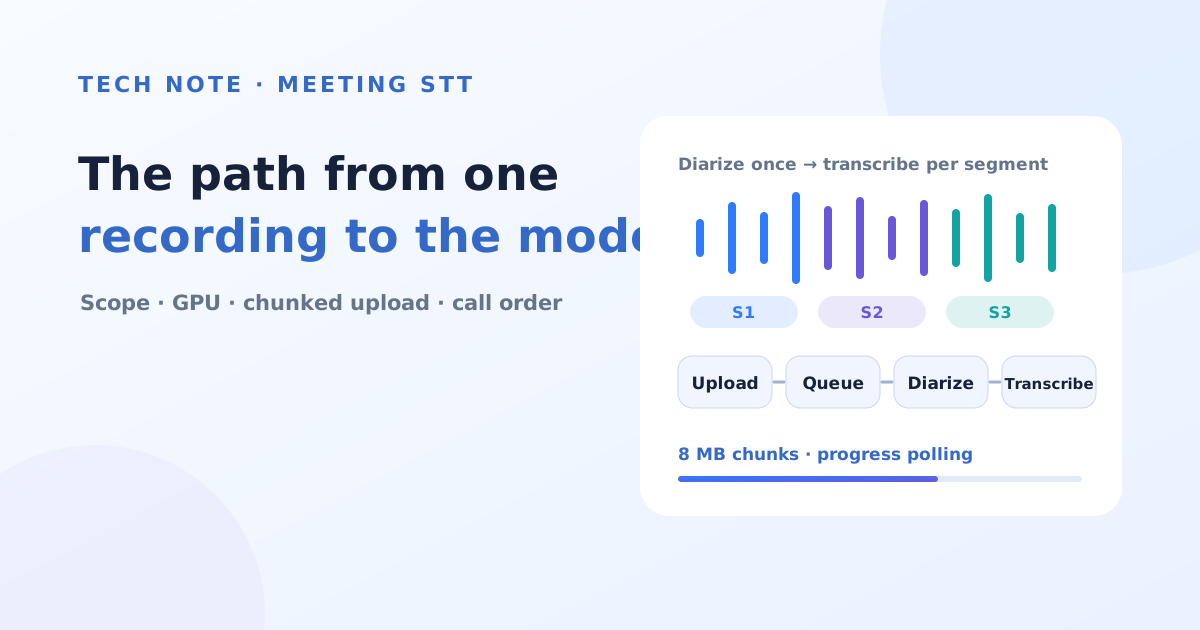
So we separated upload from processing. The browser splits the file into 8 MB chunks, uploads two at a time, and resends only failed chunks. Chunks are collected in object storage rather than on server disk, because the backend runs as multiple pods and each chunk may arrive at a different pod. When the last chunk is uploaded, the job enters a queue, and the screen asks only for progress every 3 seconds. Which pod takes the job is decided by a single conditional UPDATE in the database: only rows whose status is still queued are changed to running, and the pod whose update changed exactly one row takes the job. If the signal a processing pod leaves every 30 seconds stops for 5 minutes, another pod returns the job to the queue.
“A feature to upload one file” became a small job system with six job states and retry rules. It was not in the first plan, yet it became the longest section of the plan.
We could get everything at once, but chose to split the calls
The model server’s transcription API also supports a format that returns diarization results attached in a single call. The feature for attaching recordings in chat already used this format. Since one call would be enough, we leaned that way at first.
In the end we split the order. We first send the whole recording to diarization once to get segments saying “who spoke from which second to which second,” then cut along those segments and call transcription several times. There were three reasons.
First, diarization must run on the whole file at once. If you run it on pieces, speaker numbers are reassigned in each piece, and there is no guarantee that speaker 1 in an earlier piece is the same person as speaker 1 in a later piece. Second, transcription must be called in pieces. The Qwen3-ASR model we use has a limit on the length it can handle per call, and when we relied only on server-side automatic splitting, the same sentence repeated in long recordings. So when one speaker’s segment exceeds one minute, we split again at a quiet point inside it; when diarization is off, we cut every 5 minutes but look for the quietest point within 5 seconds before and after the boundary so speech is not cut mid-sentence. Third, splitting the calls lets us report progress per unit, retry only failed units, and cancel midway. Putting a two-hour recording into one request means giving up all three, and the risk of hitting the request time limit remains.
We did not discard the single-call format; we kept it as a baseline for comparing results. If per-speaker-segment transcription turns out worse, this decision may change again.
Renaming speaker 1 to Hong Gil-dong only required changing the label
The diarization model does not know people’s names. Results come out as labels such as SPEAKER_00 and SPEAKER_01, and the screen shows them as speaker 1, speaker 2 in order of first speech. When a user specifies “speaker 1 is Hong Gil-dong,” it should change to that name.
At first we thought of rewriting the result file whenever a name changes. Instead, we left the result file untouched and stored only a label-to-name mapping table separately in the database. The mapping is applied only when results are displayed or downloaded as txt. There is no need to rerun transcription, and if a name is assigned wrongly, it can always be reverted to the original label. To make it easier to tell who is who, the first three utterances of each speaker are shown together. If two speakers are given the same name, they are shown merged as one person, because the diarization model may sometimes split one person into two.
What we have not decided yet
Since this is a design-stage post, much remains. We have not yet confirmed whether sending a two-hour recording to diarization at once finishes within the model server’s request time limit. If not, we will have to lower the upper limit on recording length. Whether the diarization model’s sub-models are read only from local paths without internet can be known only by actually loading them on an air-gapped network. The development server has outbound access, so this problem may not have surfaced. How much accuracy varies with meeting-room recording quality has not been measured yet either. That is why we decided to add “Automatic conversion — review required” to the result screen and the header of downloaded files.
The original recording is deleted as soon as processing finishes, and only the result is kept. Because meeting content can be sensitive, transcribed text is not written to logs, results are stored encrypted, and only the uploader can view them.
In summary
| Initial decision | Revised decision | Trigger |
|---|---|---|
| Part of the chat feature | Independent screen for uploading recordings | Re-checking requirements, surveying existing screens |
| Diarization model as a separate service | Loaded from the local list like other models, with the administrator assigning the GPU | GPU management approach, air-gapped import procedure |
| Upload the file at once and wait for the response | 8 MB chunked upload + queued job + progress polling | Gateway loads bodies into memory, 5-minute request limit, multiple pods |
| Get diarization and transcription in one call | Diarization once → transcription per segment | Speaker-number consistency, per-call length limit, progress/retry/cancel |
In all four cases, what changed our decision was not a new idea but checking structures that already existed: the gateway requests pass through, the way GPUs are allocated, the number of backend pods — things that do not appear in a feature description. Teams considering the same feature may want to trace the path a single recording takes from the browser to the model before measuring model accuracy. Most of what we redrew lay on that path.
Editor’s reading · checkpoints for teams adopting meeting-notes automation
Every trigger that changed a decision in this post was a structure that does not appear in a feature description. When bringing the same feature into a customer environment, it is safer to check the following four items before comparing models.
- Scope — Is it a voice feature used during a conversation, or a screen for batch-processing recordings uploaded after a meeting? Who reviews the results, and where?
- Infrastructure path — How does the gateway receive request bodies, what is the request time limit, and where are upload chunks and job state kept when the backend runs as multiple instances?
- Model operation — Can the diarization and STT models be imported, loaded, and assigned GPUs through the existing model management screen in the same way, and do they load without external access on an air-gapped network?
- Result trust and security — Are automatically converted results marked as requiring review, can speaker-name assignments be reverted, and are rules for deleting originals, encrypting results, access permissions, and keeping transcripts out of logs defined?
It is also more realistic to set PoC acceptance criteria with actual meeting-room recordings rather than short samples recorded in quiet conditions. Use recordings that vary in length, number of participants, and audio quality to measure speaker-separation errors, total processing time, and retry and cancel behavior for failed units together, and judge result quality by “how much time people save in preparing meeting notes.” Automatically converted results assume human review, and accuracy figures are not something that can be promised until they are measured on the customer’s own recordings.
The value of meeting-notes automation is not determined only by how well the model transcribes. Whether long recordings can be processed to completion within the customer’s infrastructure and security policies, and whether people can review and correct the results, must be settled as well. This post can be read as a record of checking that question before writing code.