01Import
Bring it in as a tool
Wrap an external agent in an MCP server and register it, and XGEN agents call it like any other tool (agent as tool). You keep your existing investment and combine it with internal data and systems in one flow.
02 · Business and operations teams
Four core values, core features with real screens, connecting agents from other platforms, how each role uses XGEN, and business value.
4 Core Values
Building the AI is not where it ends. Connecting it, operating it, governing it, and continuing to extend it — XGEN provides the whole path on one platform.
(Agentic AI)
Proactive automation through multi-agent workflows and task routing
(Grounded Answers)
Hybrid RAG and five-stage precision retrieval keep answers grounded and hallucination low
(Multi-LLM Routing)
GPT, Claude, private LLMs — dynamic model selection per requirement, with no vendor lock-in
(High Availability)
Supports k3s high availability and GitOps deployment. Service continuity depends on redundancy, health checks, and application configuration.
Features
These are not separate tools but a single operating pipeline. Building an agent, deploying it, running it, and improving it all connect inside one platform.
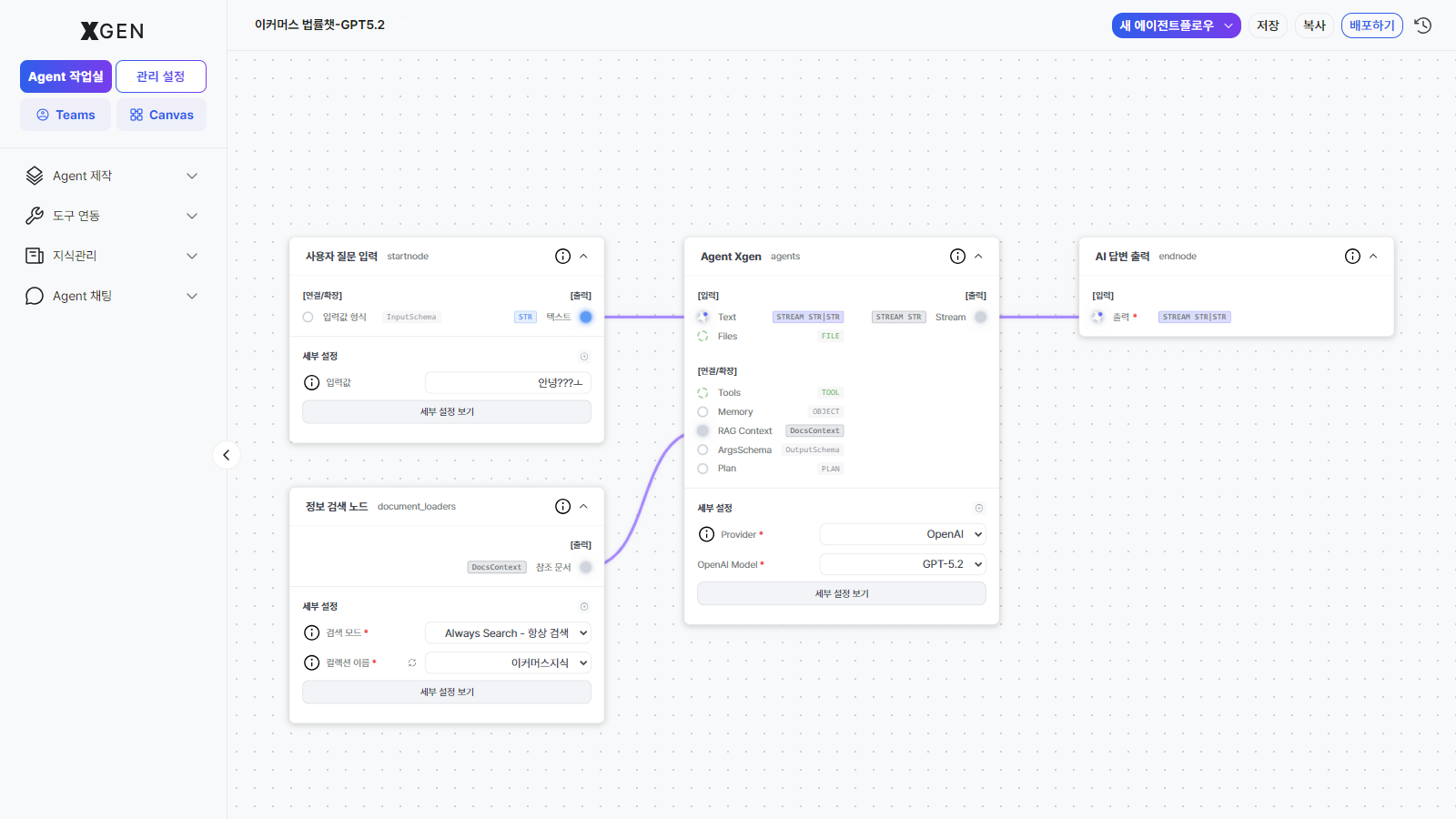
Move between vibe coding—describing what you want to Geny in natural language—and full coding with direct code control. Build, run, test, and refine agents and apps, then continue work started on a PC from a tablet or phone.
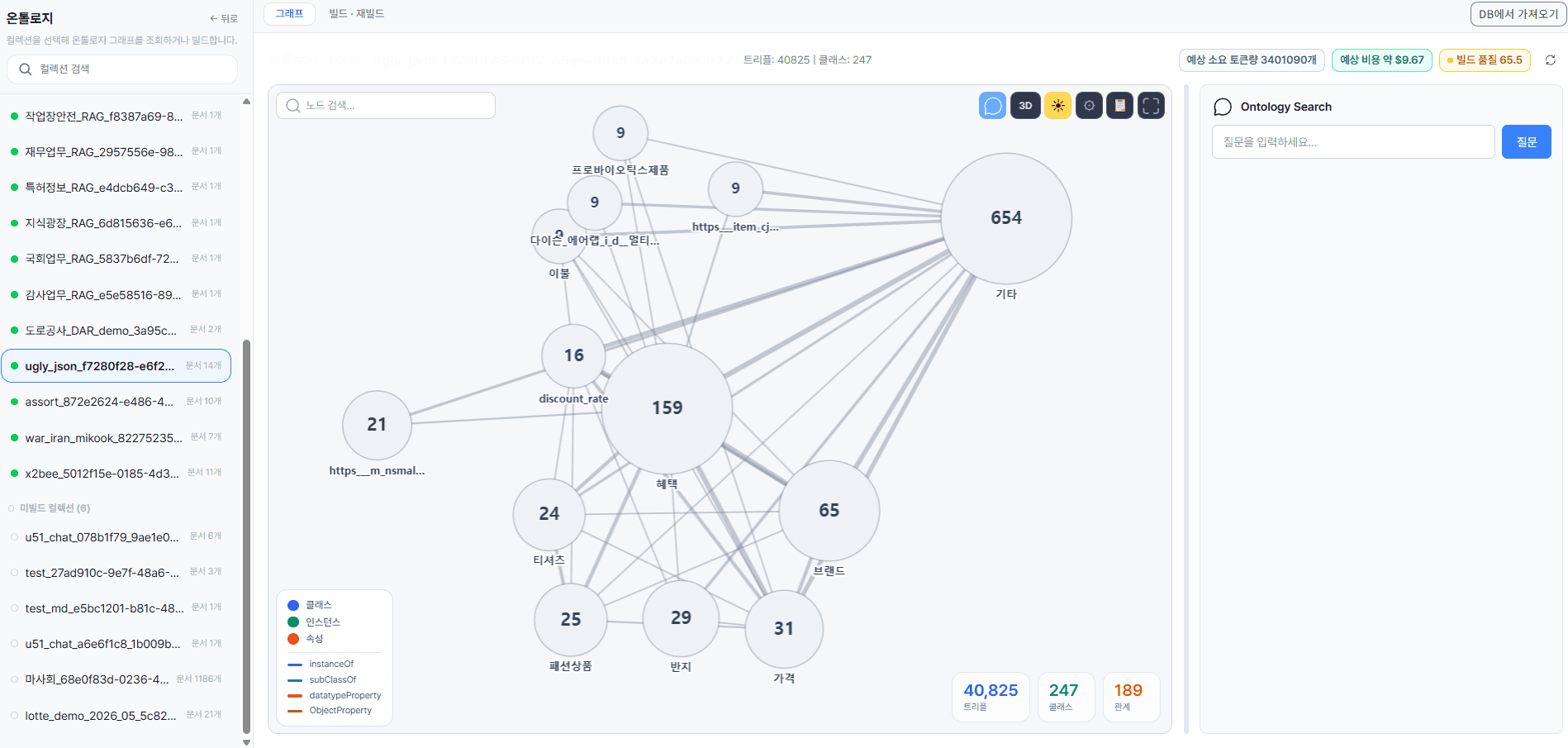
Upload documents into a collection and chunking and embedding make them vector-searchable. Rerankers and ontology raise accuracy, and responses carry their citations.
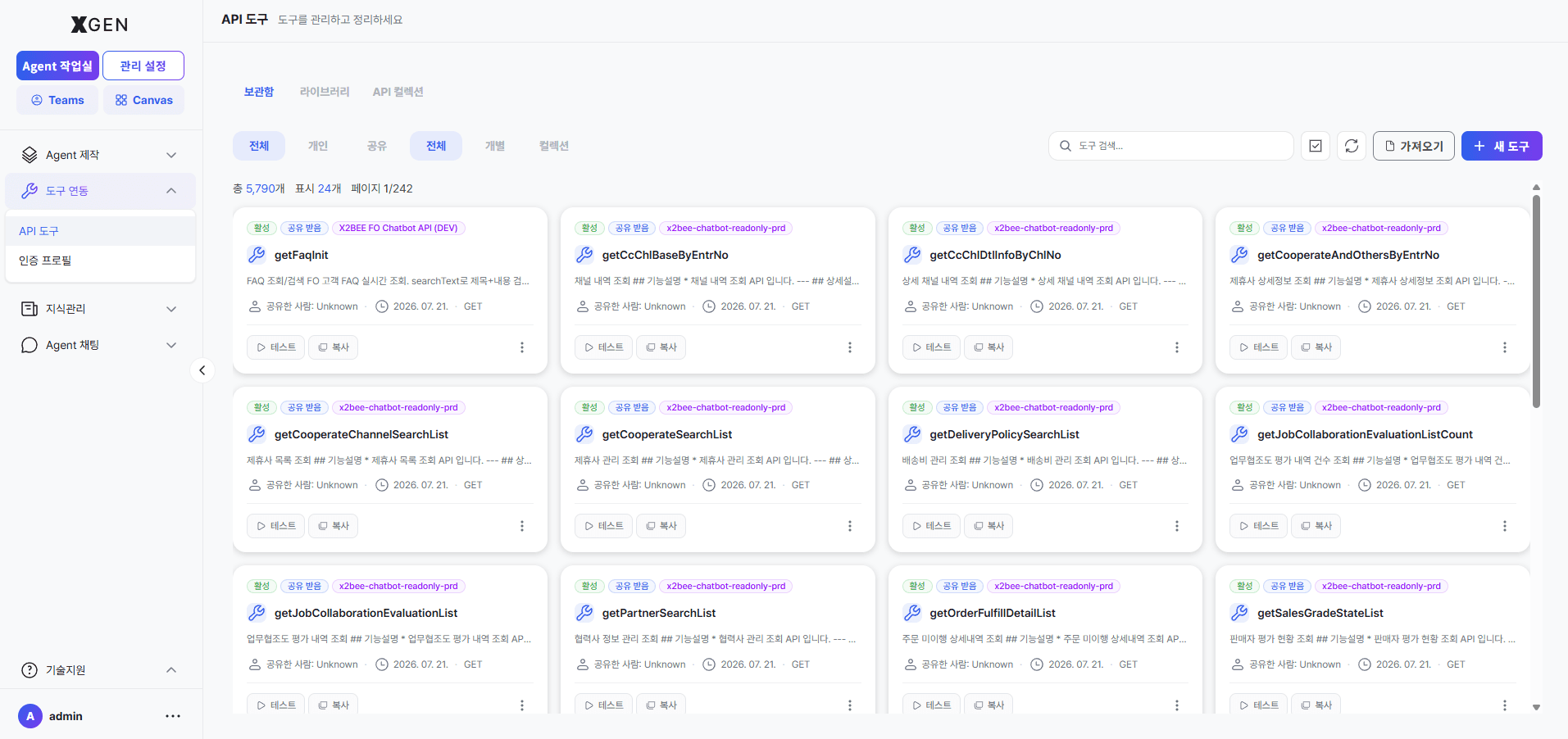
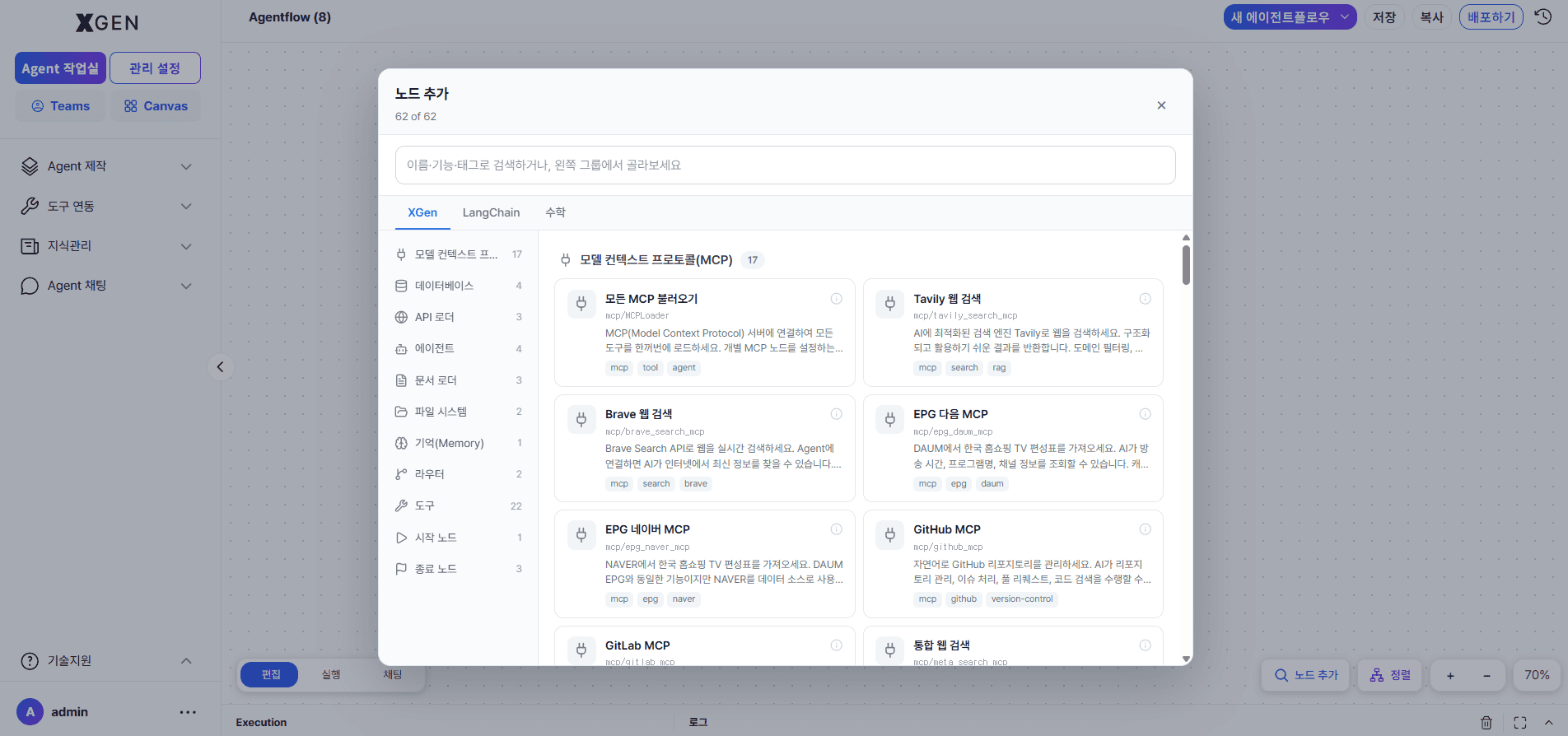
Register external APIs and functions as tools an agent can call, and connect models to external tools through the MCP standard. Credential profiles keep keys and tokens managed safely.
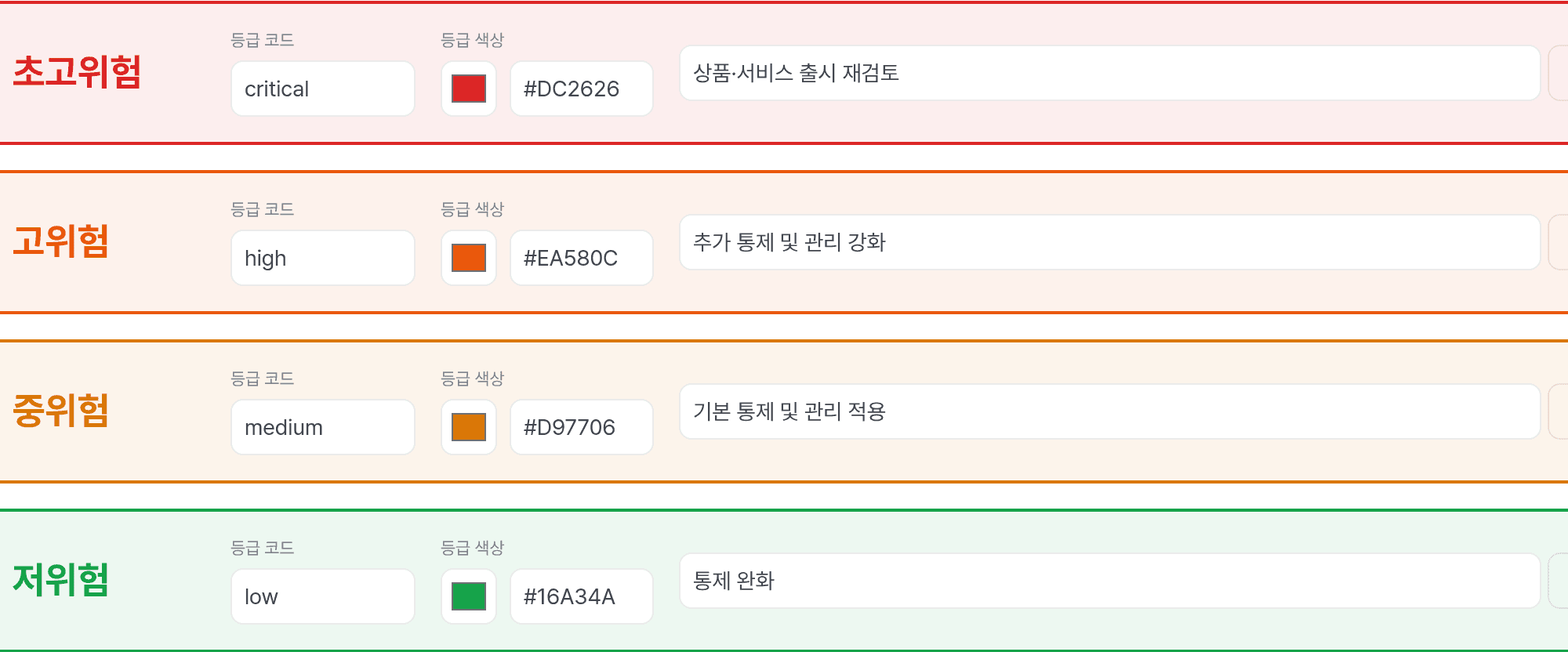
Assign collaborating departments, governance officers, or information-security managers as approvers for an AI service risk review. Configure approval routes by organization and risk level, then manage every review, decision, and audit record consistently.
01 · Approval routing

02 · AI risk grades
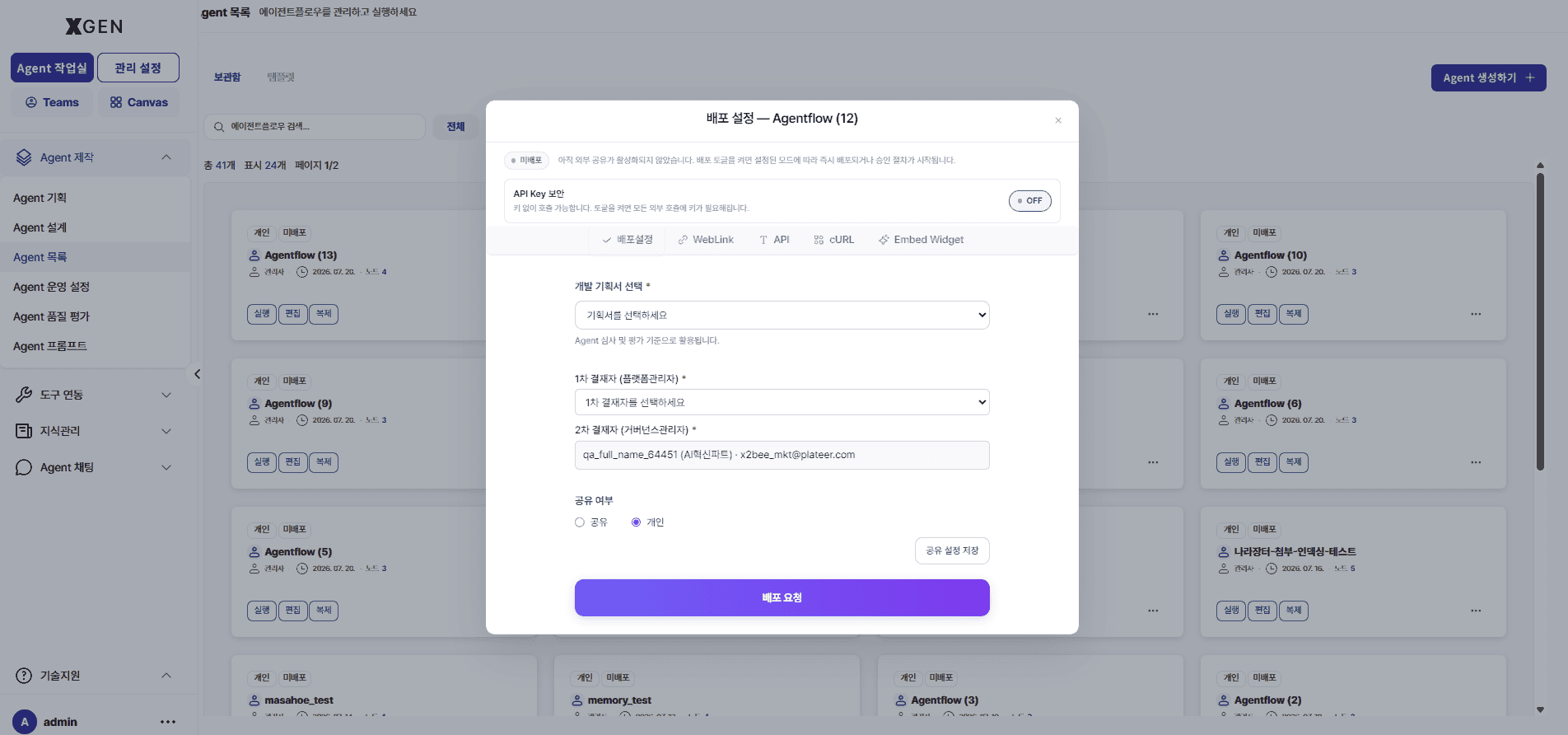
Two deployment paths serve different purposes, and the deployment environment can be customized to your infrastructure.
Users share agents built in their own development environment with colleagues. External system calls, web embedding, and scheduled runs are also supported.
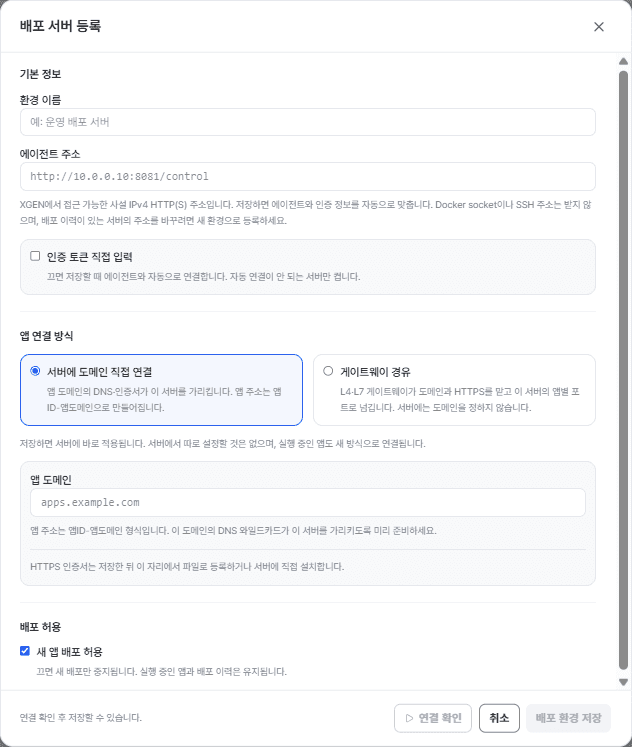
Apps built with vibe coding are provided in a per-user development environment. For public release, users request deployment from a system administrator, and the app is served through a registered deployment server.
01 · Agent deployment
02 · App deployment server
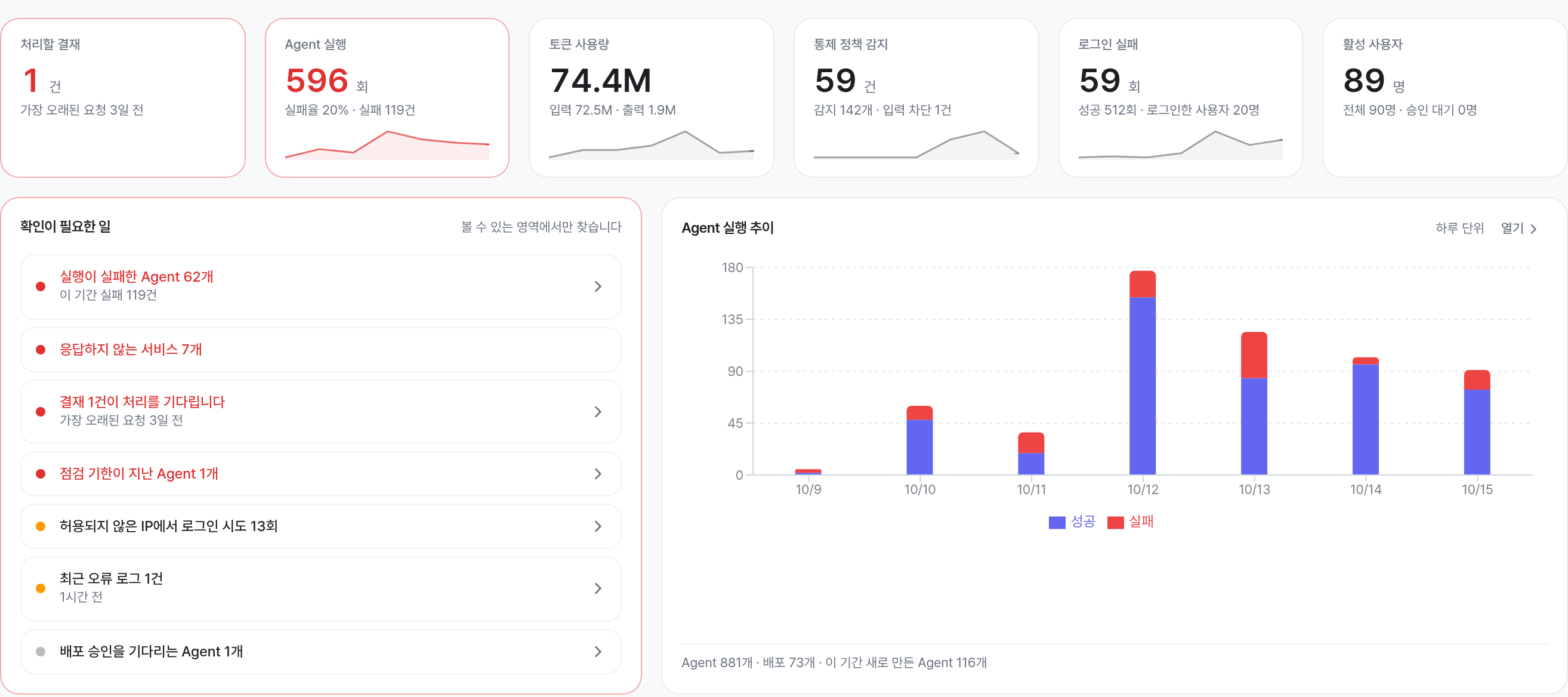
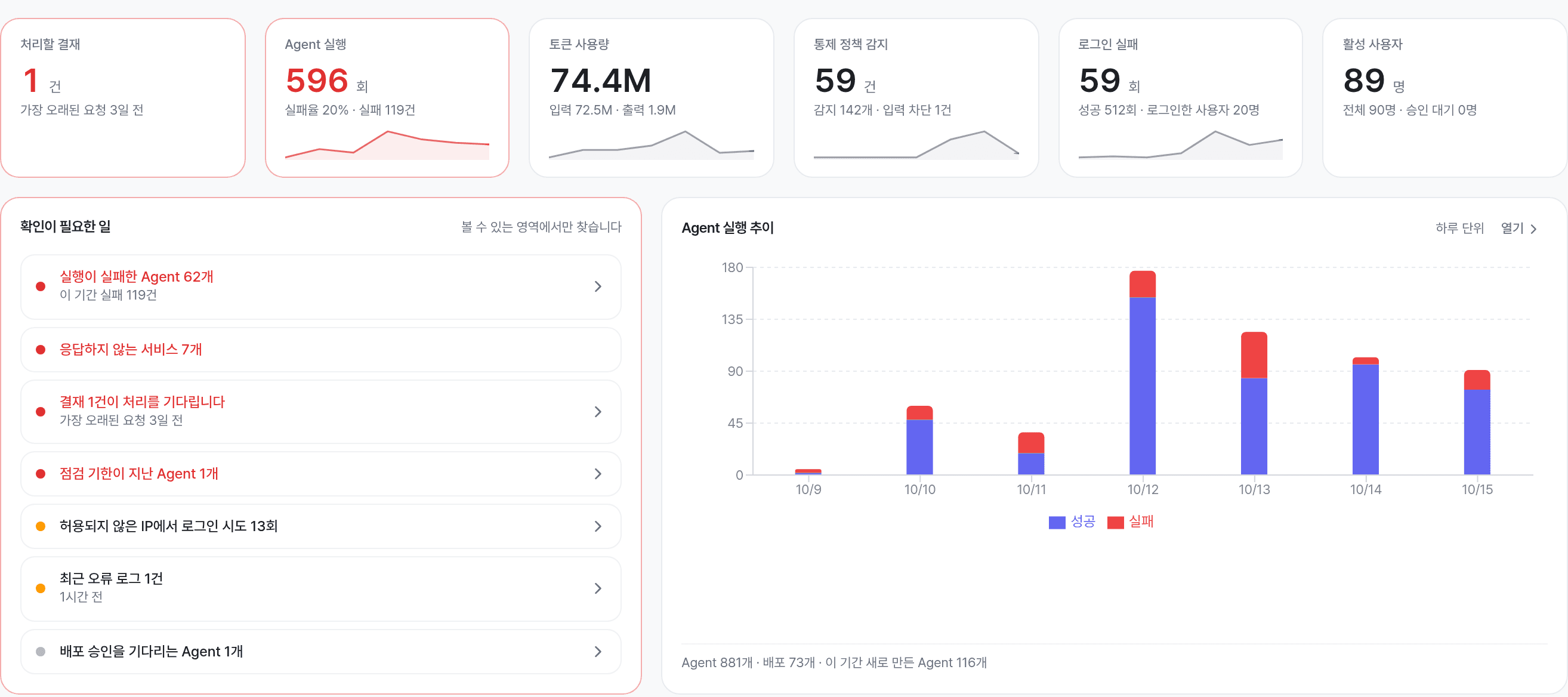
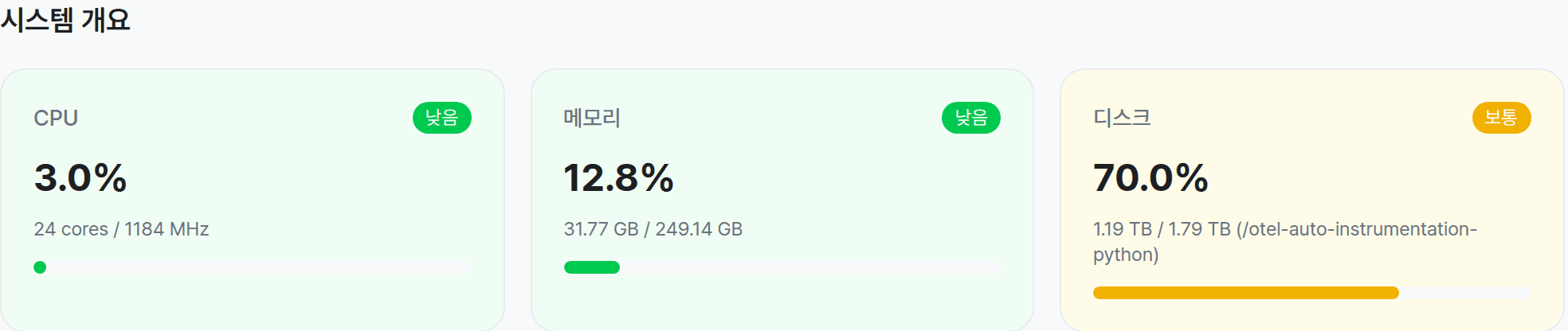
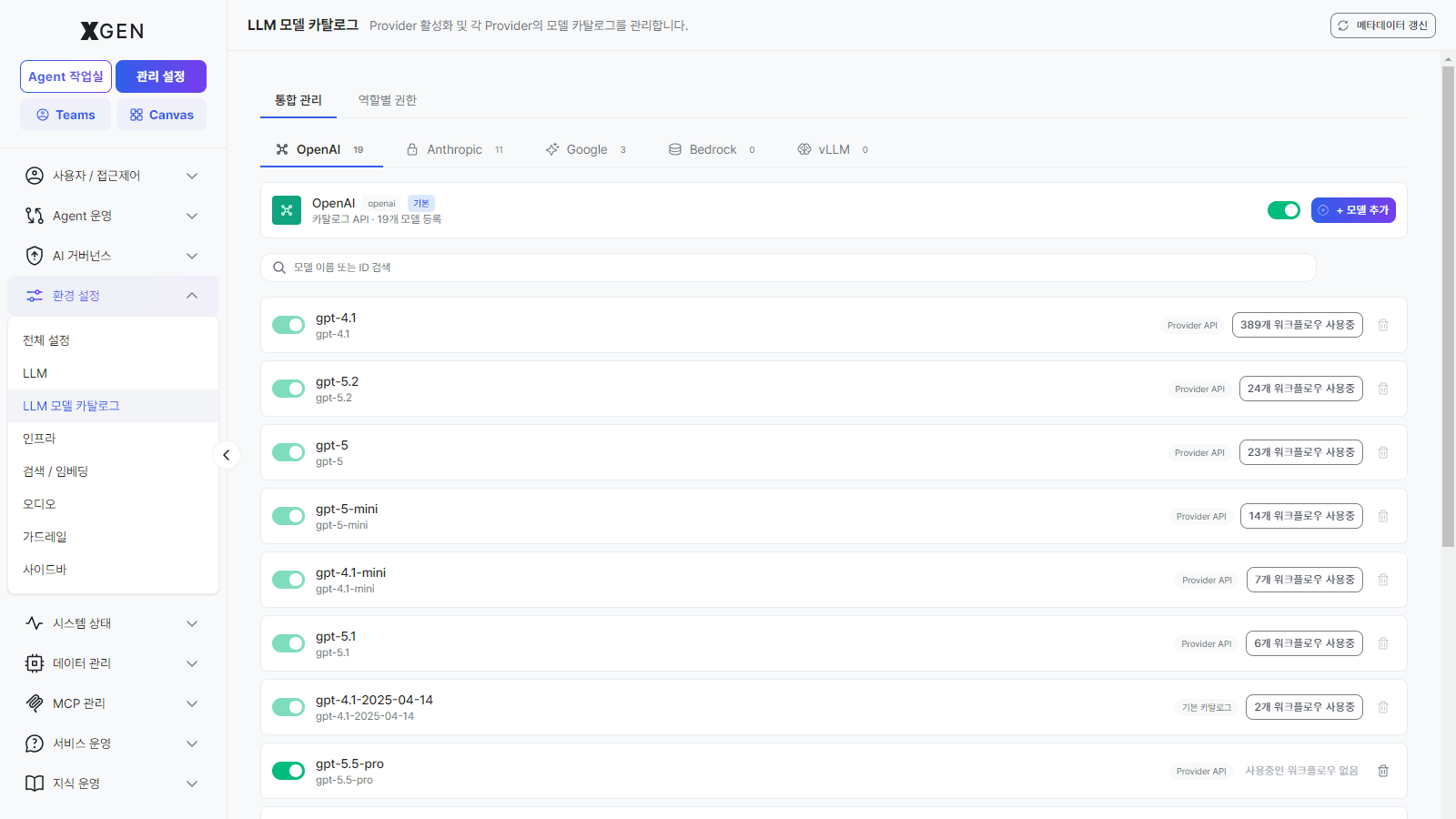
Role-based widgets put status and statistics on one screen. Execution history, token usage, and system health, seen from an administrator's perspective.
01 · Operations dashboard
02 · System monitoring
More product screens
Agent Interoperability
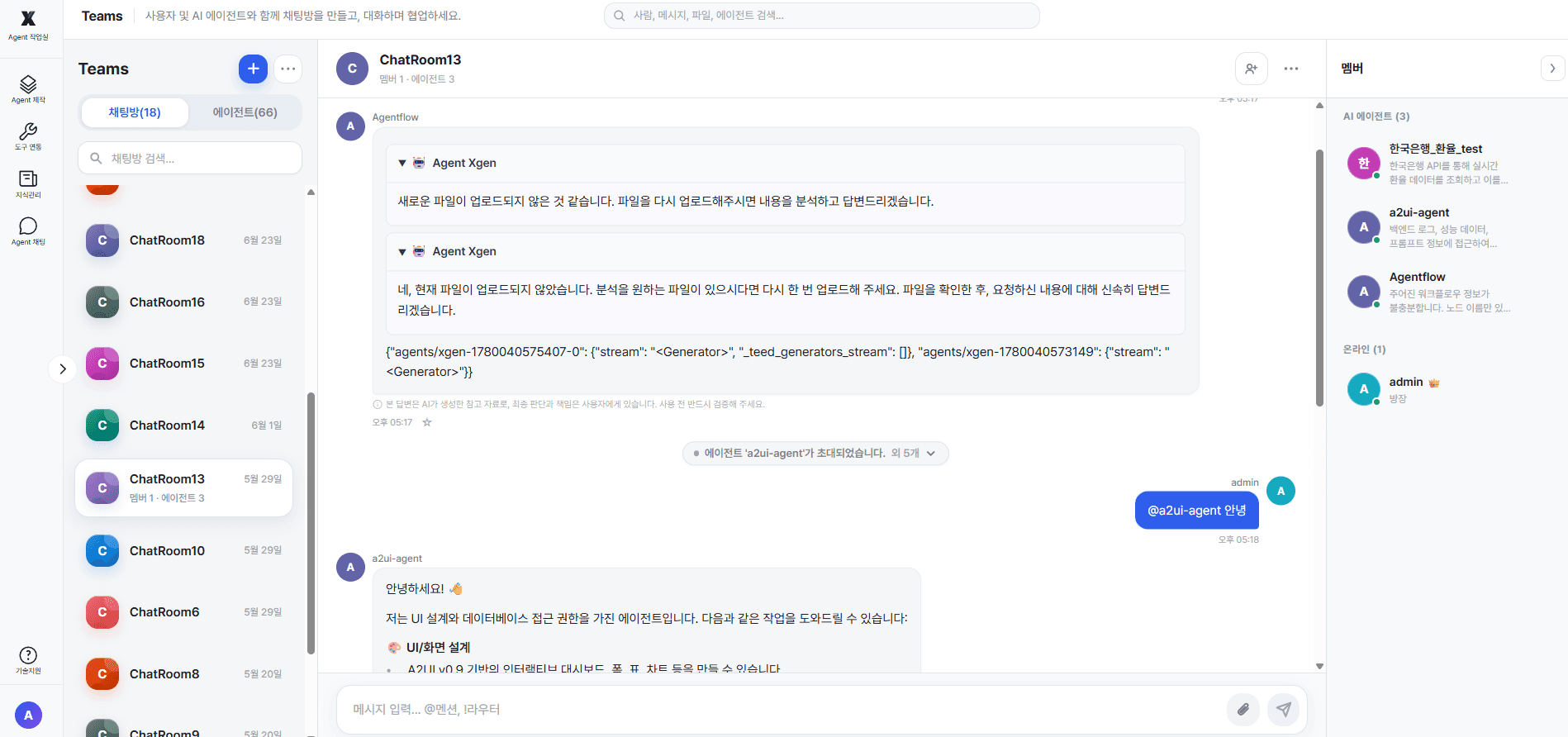
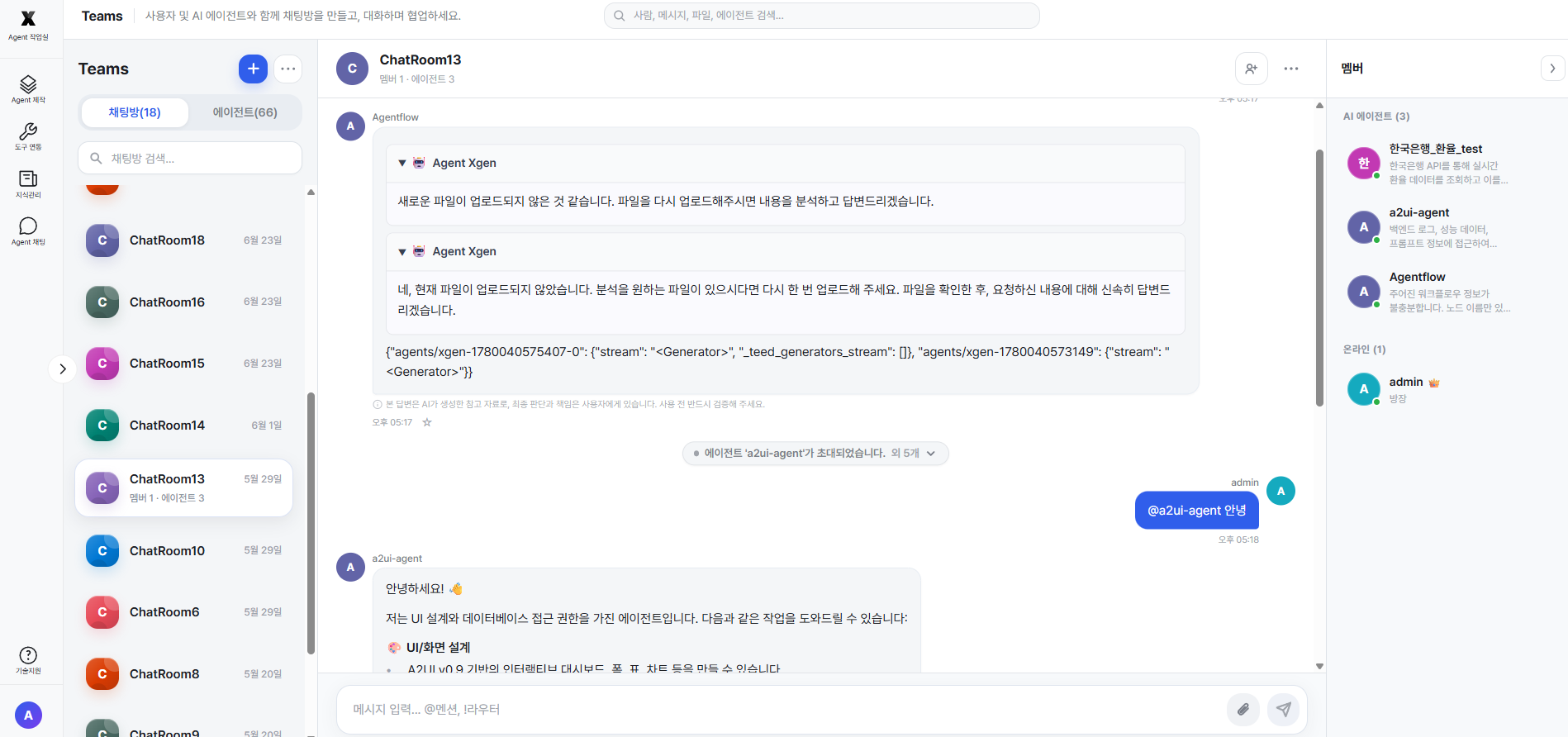
Connect agents built on external platforms to XGEN, and make agents built in XGEN available to other platforms. Two-way, MCP-based integration extends the reach of your existing AI assets and connects agents from different platforms into business workflows.
Wrap an external agent in an MCP server and register it, and XGEN agents call it like any other tool (agent as tool). You keep your existing investment and combine it with internal data and systems in one flow.
Agents built in XGEN can also be exposed over MCP. Other MCP-capable platforms and tools can call them, so you are not locked into a single platform.
Calls to external agents run under XGEN's role-based access control (RBAC) and history tracking. XGEN guardrails apply to the inputs and outputs exchanged.
Conditions
For Every Role
Planners, developers and administrators each use, build and govern AI from where they sit.
Business Value
Enterprises have moved past simply adopting an AI model. They are choosing an operating platform that connects existing systems to AI safely and applies it to real work on a foundation of security and governance. XGEN is not a platform for adopting AI — it is the Enterprise AI platform for continuously extending how you run it.
Past feature advantage — five outcomes that become organizational strength on day one: efficiency, risk, trust, flexibility, and regulatory readiness, all on one platform.
Fast, accurate RAG-based retrieval cuts the time repetitive internal work takes
Five categories of risk — model, data, security — controlled up front for a safe AI environment
Minimal hallucination and transparent evidence raise internal users' confidence
Multi-LLM operation through the Model Router secures the best cost-performance structure without lock-in
Transparent governance aligned with AI-MASTER criteria and data security law
Keep exploring

03 · Security & governance
Security and IT teams
On-premise and air-gapped deployment, permission, approval and audit controls, national certification and our AI quality policy.

04 · Technology
Architects and engineering leads
The six-layer core architecture, Geny and the isolated execution environment that make up XGEN.

05 · Adoption & support
Procurement and adoption owners
Delivery steps from installation to operation, post-deployment support and documents.
Get Support
FDEs work with your teams to set the MVP scope and support you through operational handover. You can also start with a 15-day trial or a demo.